Inside the Artist Portal

Call for Entry
As an ACLD Member you can enter 11 Monthly Members Shows (the 12th one is the Youth Show and you don’t need to be a member to enter). The Member Shows are entered through the Artist Portal, Call For Entry.
Upcoming Shows are the default mode. If you have already entered a show that is open for entry, your submissions will be shown at the top of the page. Here you can see what you have already submitted.
You can also check all of your Past Submissions from the June 2026 Show and on – just in case you can’t remember!
If your entry has been processed by our Gallery Manager, you will see the status change to Accepted or Not Accepted and you should receive an email indicating the status change. Last month we had an issue with some emails not being sent. That is corrected now, but if you can’t find the emails (so much email!) check the Portal instead!
We have also just implemented a Delete function which will allow you to delete any of your own entries prior to the Entry cutoff date if you have changed your mind about submitting them. After the entry cutoff date you will have to contact gallery@ladysmitharts.ca to remove an entry from the show.
Below your entries you will find the Upcoming Member Shows that are open for entry. Just click on the Submit Artwork button. The Submissions page gives you all the important dates, how many entries you have made and how many are allowed. Click on Add Entry to enter your artwork details. Make sure to scroll to the bottom of the page to see all of the fields and then click either Add Entry or Cancel. If you don’t see a message indicating the entry is processing, scroll up to see if there are error messages – some fields are mandatory, others are optional.
Once the entry is submitted, you can tick the box indicating that you have read the Member Show Submissions Terms and Conditions (you have read them haven’t you? …always good to check if anything has changed!) then sign the form and you’re done! You can continue to add more pieces on another form if you need to. Once you have 3 entries in any show, the form will not allow more unless you delete one.
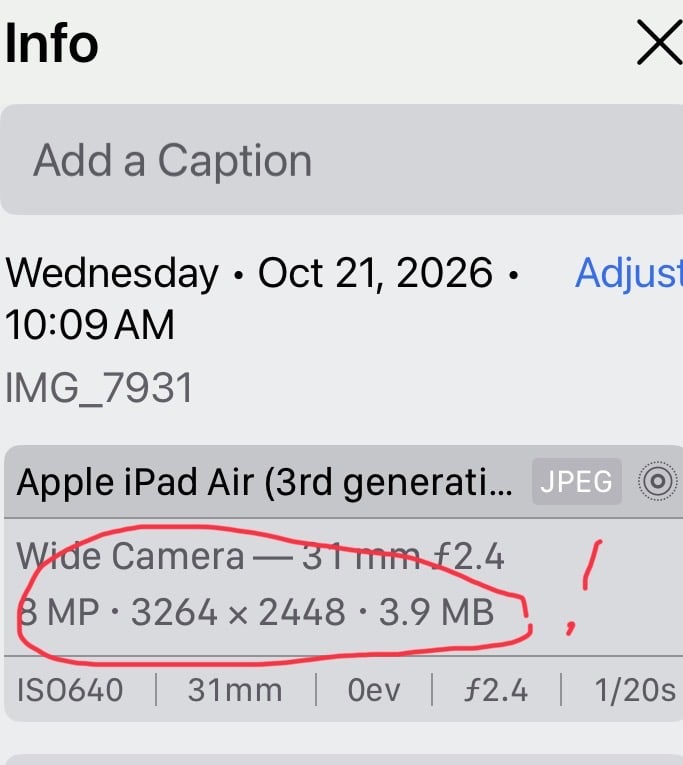
If you are having difficulty resizing your images to less than 3MB for entries, check out this Resizing Photos on Your Phone for ideas.